A downloadable tool for Windows

Buy Now$10.00 USD or more


3D Model โ†’ 2D Sprite Exporter

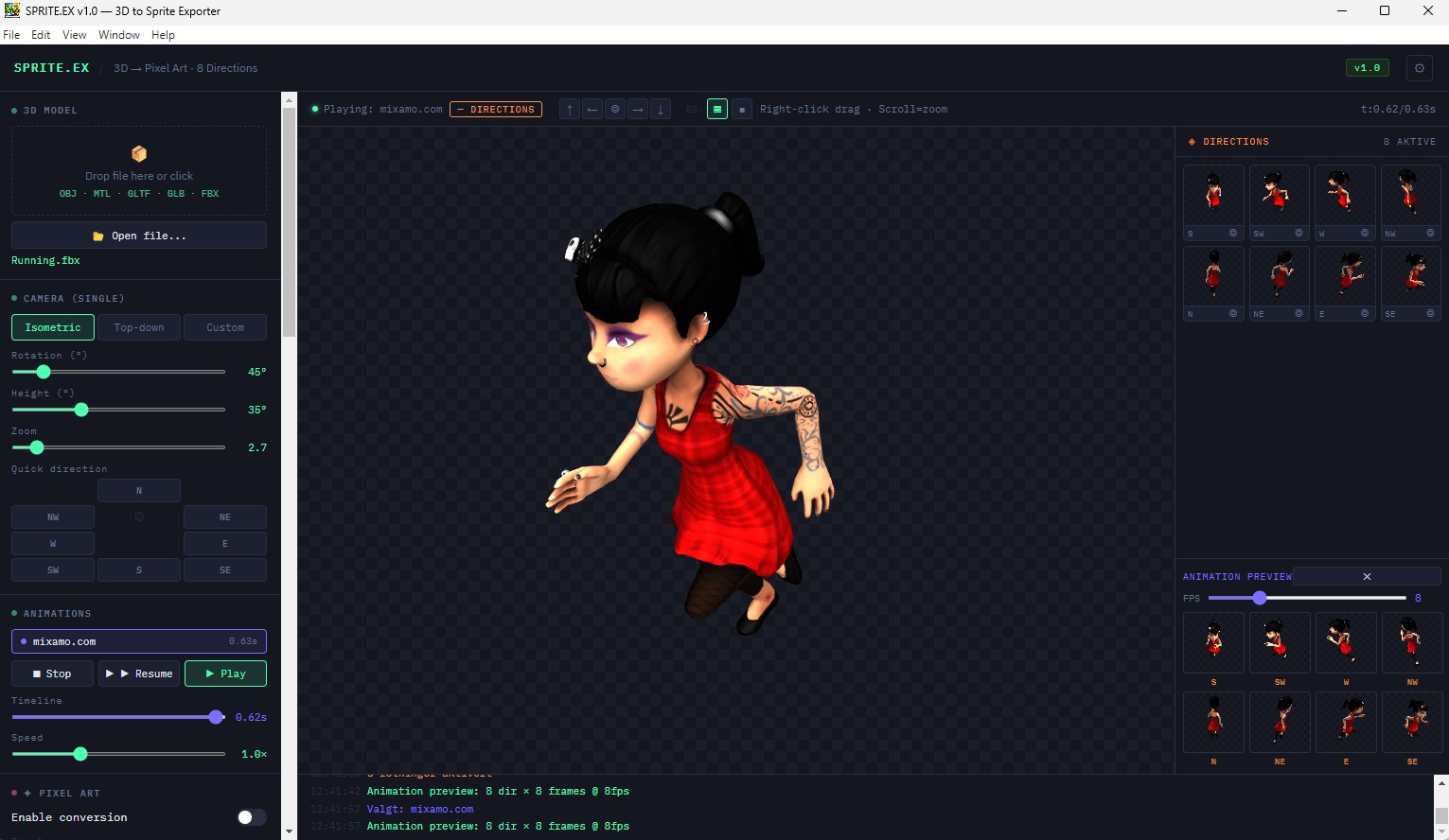
Turn any 3D model into game-ready sprite sheets in minutes. Export from 8 compass directions, apply pixel art palettes, preview animations — all in one desktop app.


Features

โ—ˆ
8-Direction Export
Render your model from N, NE, E, SE, S, SW, W, NW simultaneously. Mix and match any combination.
โœฆ
Pixel Art Conversion
Built-in palette support: Game Boy, NES, CGA, PICO-8, Endesga32, or auto-generate from your model.
โ–ถ
Animation Preview
See all 8 directions animated simultaneously before you export. FPS-adjustable, seamless loop.
๐ŸŽจ
Material Colour Editor
Change the colour of each material or mesh part directly in the app. Works with textured and untextured models.
๐Ÿ“ฆ
Ready-to-use Output
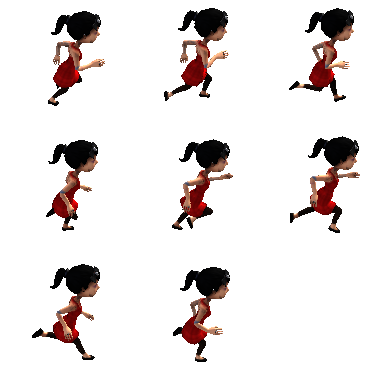
Exports clean ZIP files with sprite sheets, individual frames, and a metadata.json for your game engine.
โšก
No Dependencies
Standalone desktop app. No Blender, no Python, no command line. Just open and go.

How it works

1

Load your model

Drag and drop an FBX, GLTF, GLB, or OBJ file. Mixamo characters with animations work out of the box.

โ†“
2

Set up your camera

Choose isometric, top-down, or custom angle. Use the compass calibration to align the model's front correctly.

โ†“
3

Configure & preview

Choose directions, frame count, pixel art palette, and background. Preview the animation before committing to export.

โ†“
4

Export

Click Export. Get a ZIP with clean sprite sheets and metadata.json — ready for Godot, Unity, Phaser, or any engine.

Supported Input Formats

  • FBX — including Mixamo animated characters
  • GLTF / GLB — full animation & material support
  • OBJ + MTL — with texture support

Pixel Art Palettes

  • Auto (median-cut from model colours)
  • Game Boy (4 colours)
  • NES (54 colours)
  • CGA (16 colours)
  • PICO-8 (16 colours)
  • Endesga32 (32 colours)

Export Options

  • Sprite sheet (cols ร— rows PNG)
  • Individual frames (numbered PNGs)
  • Both formats in one ZIP
  • Background: transparent, black, white, or custom colour
  • metadata.json with frame timings & angles

Pixel Art Processing

  • Floyd-Steinberg dithering
  • Silhouette outline pass
  • Anti-aliasing removal
  • Internal render res up to 512px
  • Output sizes: 16 / 32 / 64 / 128px

Works with your engine

๐ŸŽฎ
Godot
AnimatedSprite2D ready
๐ŸŽฏ
Unity
Sprite slice compatible
๐ŸŒ
Phaser
Spritesheet format
โš™๏ธ
Custom
JSON metadata included

FAQ

Does it work with Mixamo characters?
Yes — download your character as "FBX for Unity" with skin from Mixamo, drop it into SPRITE.EX, and it will load with full animations. No Blender required.
What platforms does it run on?
Windows (x64). No installation of additional software is required.
Can I use my own colour palette?
The Auto mode generates a palette from your model's colours using median-cut quantisation. Preset palettes (Game Boy, NES, etc.) are also included. Custom palette import is planned for a future update.
How do I get the model facing the right direction?
Use the Compass Calibration tool in the Direction Export panel. Drag the compass needle to point in the same direction as your model's front face, and all 8 exported directions will align correctly.
Does it support animated exports?
Yes. Select an animation, choose how many frames to sample (4, 8, 12, or custom), preview the result, then export. All directions are exported with the same frame sampling.

Start making sprites today

One-time purchase. No subscription. Includes all future v1.x updates.

๐ŸชŸ Windows 
Published 22 hours ago
StatusReleased
CategoryTool
PlatformsWindows
Authorxionworld
Tags3d-to-2d, Pixel Art, Sprites, tool
AI DisclosureAI Assisted, Graphics

Purchase

Buy Now$10.00 USD or more

In order to download this tool you must purchase it at or above the minimum price of $10 USD. You will get access to the following files:

SPRITE.EX Setup 1.0.0.exe 73 MB

Leave a comment

Log in with itch.io to leave a comment.